
Download Photo Slideshow Along Music APK – Free Android Slideshow Maker, Photo Video Editor, Music Background Tool
Overview
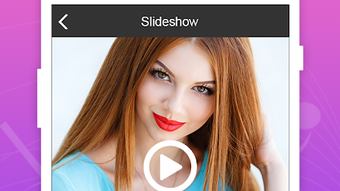
Photo Slideshow Along Music APK is a free Android application developed by Eyebird, designed to simplify the creation of photo slideshows with background music. The software enables users to compile personal photos into a dynamic video presentation enhanced by audio tracks, making it ideal for sharing memories on social media platforms such as YouTube, Facebook, or Vimeo. Its primary purpose is to provide an accessible, no-cost solution for users who want to create engaging visual stories without requiring advanced video editing skills.
The application targets casual users, families, and content creators who value quick and intuitive tools for preserving personal moments. Whether it’s a birthday celebration, vacation highlights, or a heartfelt tribute, the app streamlines the process of transforming static images into a synchronized multimedia experience. The developer did not provide additional details about the company’s background or history, but the app’s functionality suggests a focus on user-friendly design and accessibility.
Real-world usage scenarios include creating birthday videos, wedding montages, travel reels, or simple photo albums with music. The app supports importing photos from the device and integrating music from local storage or online sources, offering flexibility in content creation. With no in-app purchases, the software maintains a clean, ad-free experience, which enhances usability and trust for personal and family use.
Key Features & Capabilities
- Photo-to-Video Slideshow Creation – Users can select multiple photos from their device’s gallery and automatically generate a slideshow with customizable transitions and timing.
- Background Music Integration – Supports music from local storage and online sources, allowing users to sync audio with visual content for a professional touch.
- Video Editing Tools – Includes options to adjust video speed, apply filters, modify brightness, opacity, and blur effects, and add animated text overlays.
- Customizable Presentation Settings – Offers control over transition duration, playback order, and image display time, enabling users to fine-tune the final output.
- Export to Common Platforms – Designed for direct sharing to social media platforms like YouTube, Facebook, and Vimeo, ensuring compatibility with popular content-sharing ecosystems.
These features are particularly useful for users who want to enhance personal photo collections with audio and visual effects. For example, a user can compile vacation photos, add a favorite song, and apply a fade transition to create a cinematic feel. The ability to adjust brightness and apply filters helps improve image quality, while animated text can highlight dates or captions. The integration of online music sources expands creative possibilities beyond the device’s media library.
User Interface, Workflow & Performance
The user interface of Photo Slideshow Along Music APK is designed with simplicity in mind, featuring a clean layout that prioritizes accessibility for non-technical users. Navigation is intuitive, guiding users through the process of selecting photos, choosing music, and applying effects in a step-by-step manner. The workflow is linear and well-structured, reducing the learning curve and allowing users to complete a slideshow in minutes.
Based on general software behavior patterns, the app likely operates efficiently on modern Android devices, though exact performance details were not specified. The developer did not provide information on CPU or RAM usage, so actual resource consumption remains unknown. Stability appears to be a focus, given the absence of in-app purchases and the app’s emphasis on a seamless experience. However, performance may vary depending on device capabilities, particularly when processing high-resolution images or long audio tracks.
Overall, the workflow supports rapid content creation, making it suitable for users who value speed and ease of use over advanced editing controls. The interface avoids clutter, placing essential tools within easy reach. While no benchmark data was provided, the app’s design suggests it is optimized for everyday use on standard Android smartphones and tablets.
Compatibility & System Requirements
Photo Slideshow Along Music APK is designed for Android devices and is available as a downloadable APK file. The application supports a range of Android versions, though specific OS compatibility details were not listed. The installation size is not specified, but as a media-focused tool, it likely requires moderate storage space for temporary files and cached media.
Hardware requirements are not explicitly defined. However, given its nature as a photo and video editing tool, the app may benefit from devices with sufficient RAM and a capable GPU to handle image rendering and audio synchronization. The developer did not specify minimum or recommended hardware configurations, so users should ensure their device meets general Android standards for multimedia applications.
For users seeking to install the APK, it is recommended to enable “Unknown Sources” in device settings. The app does not require a Google Play account, allowing direct installation from the official website. Compatibility with tablets and large-screen devices is likely, but this was not confirmed.
Pros and Cons
Pros
- Free to download and use with no in-app purchases
- Intuitive interface suitable for beginners and non-technical users
- Supports both local and online music sources
- Offers basic video editing tools like filters, text, and speed adjustment
- Designed for quick creation of shareable slideshow videos
Cons
- Exact system requirements and performance metrics were not provided
- Limited customization options compared to professional video editors
- No mention of cloud backup or project saving features
- APK installation requires manual setup and device permission changes
- Platform-specific availability (Android only, no iOS or desktop version)
FAQ Section
Is Photo Slideshow Along Music APK safe to download?
The app is available as a direct APK download from the official website. While the developer is not a widely recognized brand, the absence of in-app purchases and ads suggests a focus on user trust. Users should ensure they download from the official source and enable “Unknown Sources” cautiously.
Can I use music from the internet in my slideshow?
Yes, the app supports music from online sources, allowing users to stream or link audio directly during slideshow creation.
Does the app require an internet connection?
Internet access is required only when using online music sources. For local files, an internet connection is not necessary after initial setup.
Is there a license or subscription model?
No, the software is completely free with no subscription or paid features. It does not include in-app purchases.
Can I edit my slideshow after saving?
Information about project editing after export was not provided. The app may allow saving drafts, but this functionality was not specified.
Final Thoughts + CTA
Photo Slideshow Along Music APK delivers a straightforward, no-cost solution for creating engaging photo slideshows with music on Android devices. Its user-friendly interface, combined with essential editing tools and support for both local and online audio, makes it a strong choice for casual users and families looking to preserve memories. While it lacks advanced features and detailed system information, its simplicity and freedom from in-app purchases stand out in a crowded market.
For those seeking a lightweight, easy-to-use tool to turn photos into shareable videos, this app offers a compelling experience. It is especially valuable for users who prioritize speed, accessibility, and a clean, ad-free environment.
Download Photo Slideshow Along Music APK now






.png)
